A Deep Dive into MCP Servers
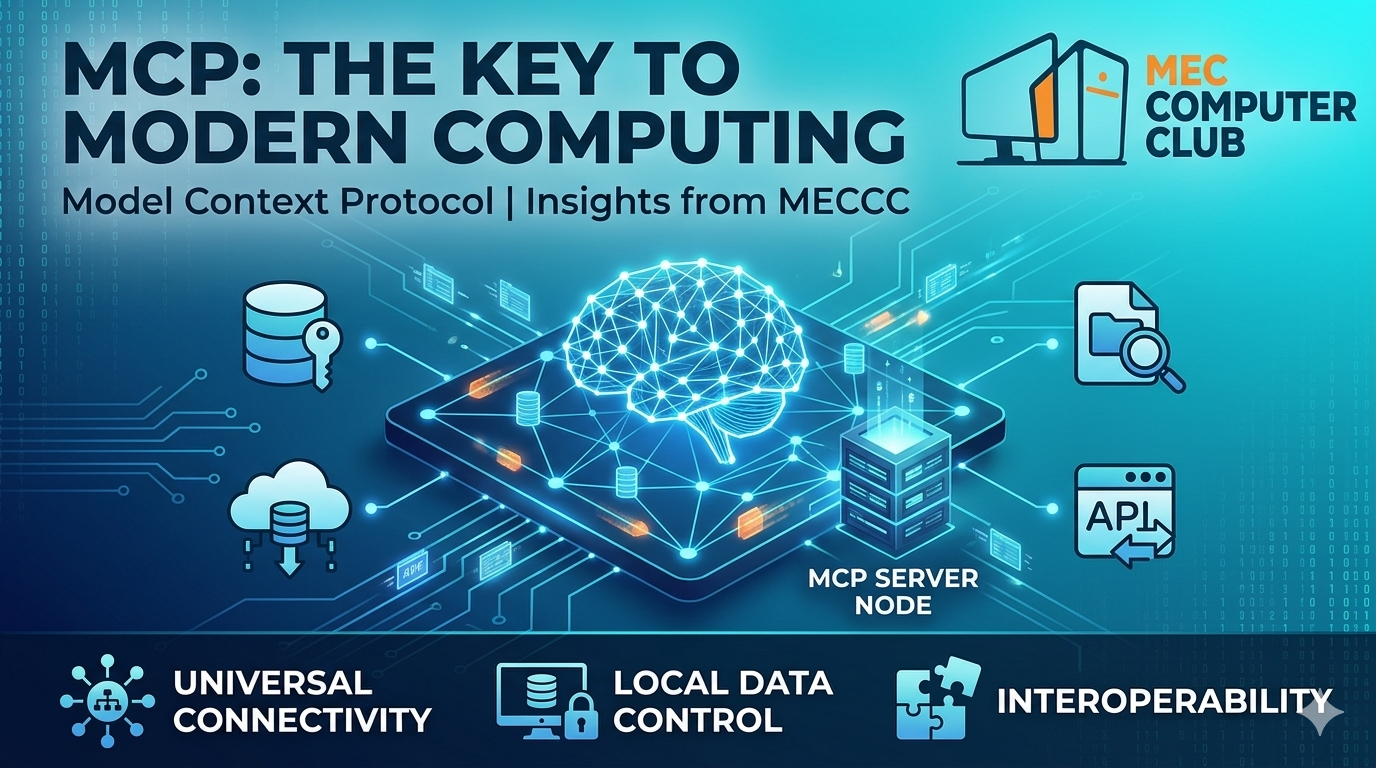
The Model Context Protocol (MCP)
Unlocking AI’s True Potential
MCP – The universal bridge between AI models and your data
Artificial intelligence is no longer a magic black box. Modern LLMs like GPT-4, Claude, and Llama can generate poetry, write code, and even reason – but they are fundamentally stateless and context-blind unless fed the right information at the right time. How can an AI assistant know your company’s internal database schema, query your live sales figures, or read a private document stored on your laptop? The answer is rapidly converging toward a new standard: the Model Context Protocol (MCP).
In this detailed blog, we’ll explore what MCP is, how it works under the hood, why it matters for developers and enterprises, and how you can start building your own MCP servers today – all from the perspective of the MEC Computer Club’s mission to foster cutting-edge technical knowledge.
1. The Problem: AI’s Context Wall
Large language models are trained on static snapshots of the internet. They have no built‑in ability to access your live calendar, a private GitHub repository, or the rows of a PostgreSQL database unless you manually copy‑paste that data into the prompt. This leads to three major bottlenecks:
- Token limits: Pasting entire documents burns tokens and costs money.
- Security risks: Sharing sensitive data with third‑party APIs is dangerous.
- Fragmentation: Every AI tool needs custom glue code to connect to each data source.
Before MCP, developers built one‑off connectors: a LangChain tool for Slack, a Zapier integration for Gmail, a custom plugin for Claude. This fragmented ecosystem made AI “agents” difficult to scale and reuse.
🎯 The Core Idea of MCP
Model Context Protocol (open‑source, initiated by Anthropic) defines a standard way for AI assistants to expose and interact with tools, resources, and prompts. Think of it as the “USB‑C for AI integrations” – one universal interface that works across models, IDEs, and applications.
2. MCP Architecture – How It Works
MCP follows a client‑server model. There are three primary roles:
- MCP Host: The AI application that needs context (e.g., Claude Desktop, Cursor IDE, a custom chatbot).
- MCP Client: Built into the host, it manages connections to one or more MCP servers.
- MCP Server: A lightweight program that exposes specific capabilities (reading files, querying a database, calling REST APIs) and communicates via JSON‑RPC over stdio or WebSockets.
When you ask the host a question like “What are the upcoming MEC events this week?”, the host’s MCP client sends a request to the connected event‑calendar MCP server. The server fetches data from the actual source (e.g., Google Calendar API) and returns it in a structured format. The LLM then answers using that live context.
🔌 Key Primitives: Tools, Resources, Prompts
MCP defines three main building blocks that a server can provide:
| Primitive | Purpose | Example |
|---|---|---|
| Tools | Executable functions (with parameters) that the AI can invoke to perform actions. | send_email(to, subject, body) or create_github_issue(title, description) |
| Resources | Data sources that can be read (files, database records, API responses). | file:///docs/project_plan.md or postgres://users/active |
| Prompts | Pre‑written templates that guide the AI’s behaviour for common tasks. | summarize_meeting_notes or generate_commit_message |
3. Why MCP is a Game Changer for Developers
If you are a student or professional at MEC, understanding MCP will become as essential as knowing REST or GraphQL. Here’s why:
- Write once, use anywhere: Build an MCP server for your college’s student portal, and it can be consumed by Claude, Cursor, or any future MCP‑compatible assistant.
- Local-first & secure: MCP servers can run on your machine, never sending your private data to the cloud. The LLM only sees what the server chooses to expose.
- Real-time interactions: AI can query live databases, watch file changes, or trigger workflows – making true “agents” possible.
- Language agnostic: MCP servers can be written in Python, Node.js, Go, Rust – anything that speaks stdio or WebSockets.
Imagine a future where your IDE’s AI assistant automatically pulls the latest MEC Club meeting minutes from Notion, checks who has paid membership fees from a local SQLite DB, and helps you draft the next announcement – all through MCP.
4. Implementing a Simple MCP Server (Python Example)
Let’s build a minimal MCP server that exposes a single tool to fetch a random programming quote. This shows the pattern you can extend to any data source.
# mcp_quote_server.py
import asyncio
import json
import random
from mcp.server import Server, NotificationOptions
from mcp.server.models import InitializationOptions
import mcp.server.stdio

quotes = [
    "Code is like humor. When you have to explain it, it’s bad. – Cory House",
    "First, solve the problem. Then, write the code. – John Johnson",
    "Any fool can write code that a computer can understand. Good programmers write code that humans can understand. – Martin Fowler"
]

server = Server("quote-server")

@server.list_tools()
async def list_tools():
    return [{
        "name": "get_quote",
        "description": "Returns a random programming quote.",
        "parameters": {"type": "object", "properties": {}}
    }]

@server.call_tool()
async def call_tool(name: str, arguments: dict):
    if name == "get_quote":
        return {"content": [{"type": "text", "text": random.choice(quotes)}]}
    raise ValueError(f"Unknown tool {name}")

async def main():
    async with mcp.server.stdio.stdio_server() as (read_stream, write_stream):
        await server.run(read_stream, write_stream, InitializationOptions(
            server_name="quote-server",
            server_version="0.1.0"
        ))

if __name__ == "__main__":
    asyncio.run(main())
Once this server is running, any MCP host (like Claude Desktop) can discover the get_quote tool and ask for a quote. You can replace the hardcoded quotes with a live API call to a database or a file system reader – the principle is identical.
5. Real-World Use Cases for MCP
The protocol is not theoretical – early adopters are already building impressive systems:
- Code assistants: An MCP server can read your entire codebase, index symbols, and let the AI understand project structure without copying files manually.
- Enterprise knowledge bases: Connect MCP to internal wikis (Confluence, Notion) and let employees ask natural language questions about HR policies or technical documentation.
- DevOps automation: AI agents with MCP can query cloud metrics (AWS CloudWatch, Datadog) and trigger remediation actions (restart a service, scale a pod).
- Academic research: Hook MCP to arXiv or your university’s library DB to retrieve papers, summarise them, and generate citations.
💡 MEC Computer Club Use Case: We could build an MCP server for our internal student portal. Ask the AI: “Who are the top 5 contributors to the club’s GitHub this month?” – the server would query our GitHub API and return the answer via natural language.
6. MCP vs. Other Integration Approaches
You might ask: “Isn’t this just OpenAI’s function calling or LangChain tools?” The key difference is standardization and separation. Function calling is model‑specific; LangChain abstractions are framework‑specific. MCP is an open wire protocol that:
- Works across different LLMs (Claude, GPT, Gemini) as long as the host supports MCP.
- Keeps the server stateless and reusable – you can switch the AI frontend without rewriting connectors.
- Supports bidirectional streaming for long‑running tasks, like “watch this folder for new files”.
Think of MCP as analogous to LSP (Language Server Protocol) for AI. Just as LSP revolutionised IDE‑language integration, MCP will revolutionise AI‑data integration.
7. Getting Started – Build Your Own MCP Server
Ready to try it yourself? Follow these steps:
- Install the SDK: pip install mcp (Python) or npm install @modelcontextprotocol/sdk (Node.js).
- Pick a data source: a SQLite database, a REST API, local files, or even a web scraper.
- Implement the three primitives (tools, resources, prompts) based on your needs.
- Test with an MCP inspector – a tool that acts as a mock host to debug your server.
- Connect to Claude Desktop (or any MCP client) by editing the config file.
The official documentation at modelcontextprotocol.io provides exhaustive examples. The club will also host a workshop in May 2025 – stay tuned!
8. The Future: MCP as the Universal Context Layer
We are moving toward a world where every application – from your email client to your IDE – exposes an MCP interface. This will enable:
- AI agents that truly understand your digital workspace – they can read, write, and act across tools (Slack, Jira, Google Drive) with your permission.
- Privacy‑preserving AI: Data never leaves your premises because the MCP server runs locally.
- Interoperable marketplaces: Developers share MCP servers like “Spotify controller” or “Twitter poster” that any AI can use.
At MEC Computer Club, we believe MCP is not just another protocol – it’s the missing link that transforms LLMs from chat toys into production‑grade agents.
Have questions or want to contribute to our open‑source MCP server? Reach out to the MEC Computer Club Tech Team or join our Discord.
Did you find this post helpful?
Show your appreciation to Md. Nasir Ahmed by giving it a like!

MEC Computer Club | CSE - 5th